How can I set permissions for my users?
Last updated: April 21, 2025
Users with Professional or Enterprise packages will have access to customize team roles, which by extension, grants them or denies them privileges based on their chosen role.
-
Login to your platform.flatfile.com account.
-
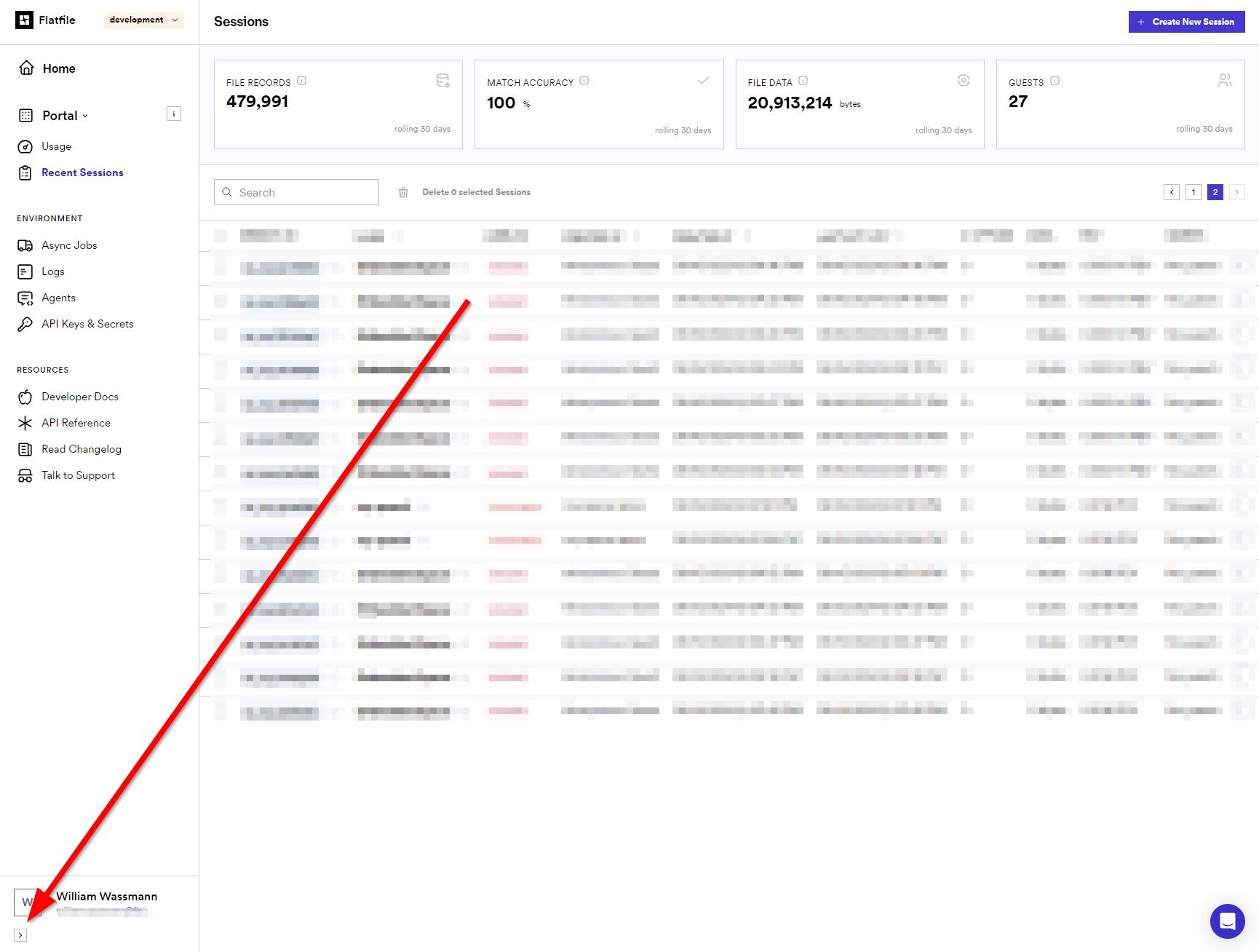
On the left navigation menu, in the lower left hand corner, you should see the name of the current user and their email address. Beneath is an arrow.
-
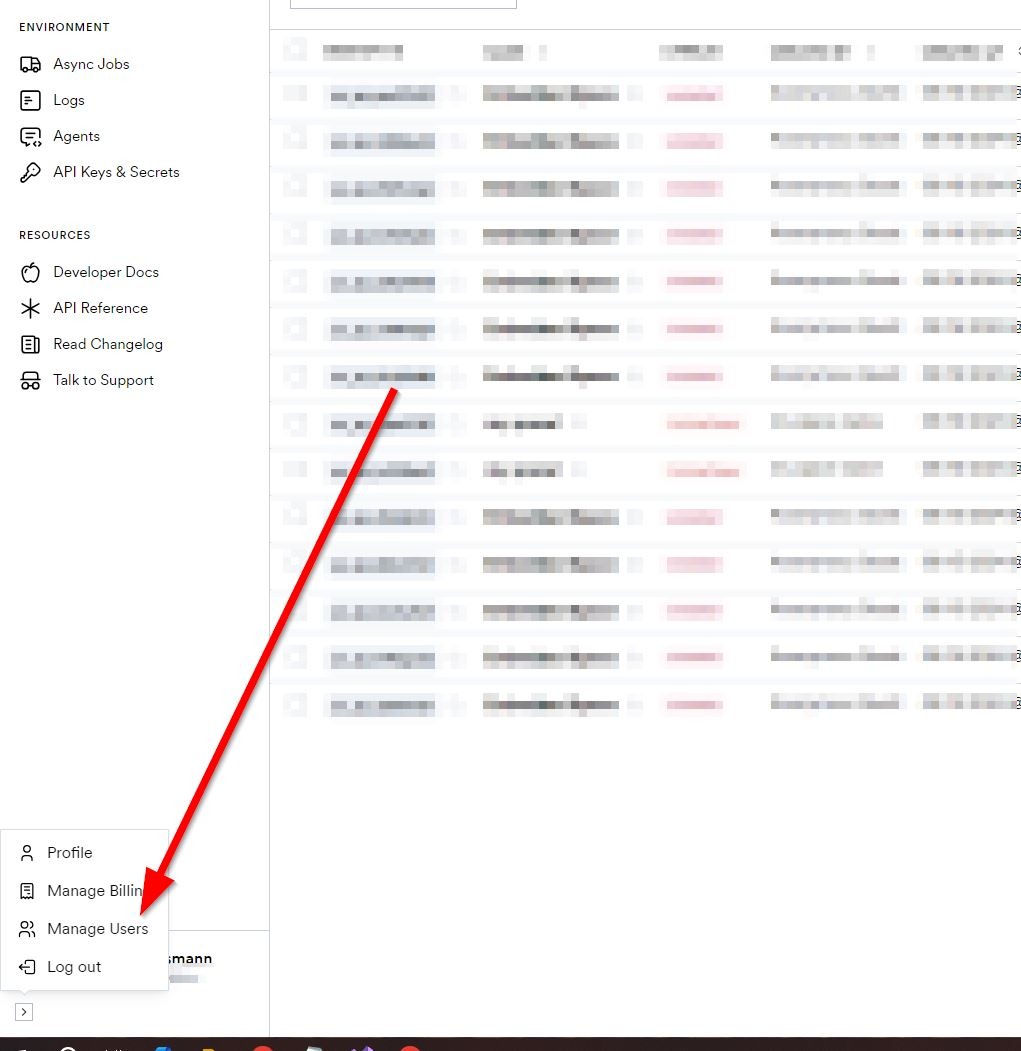
Select this arrow and look for Manage Users.
- If this is not present, please contact our support team and we will ensure those privileges are available to you.
-
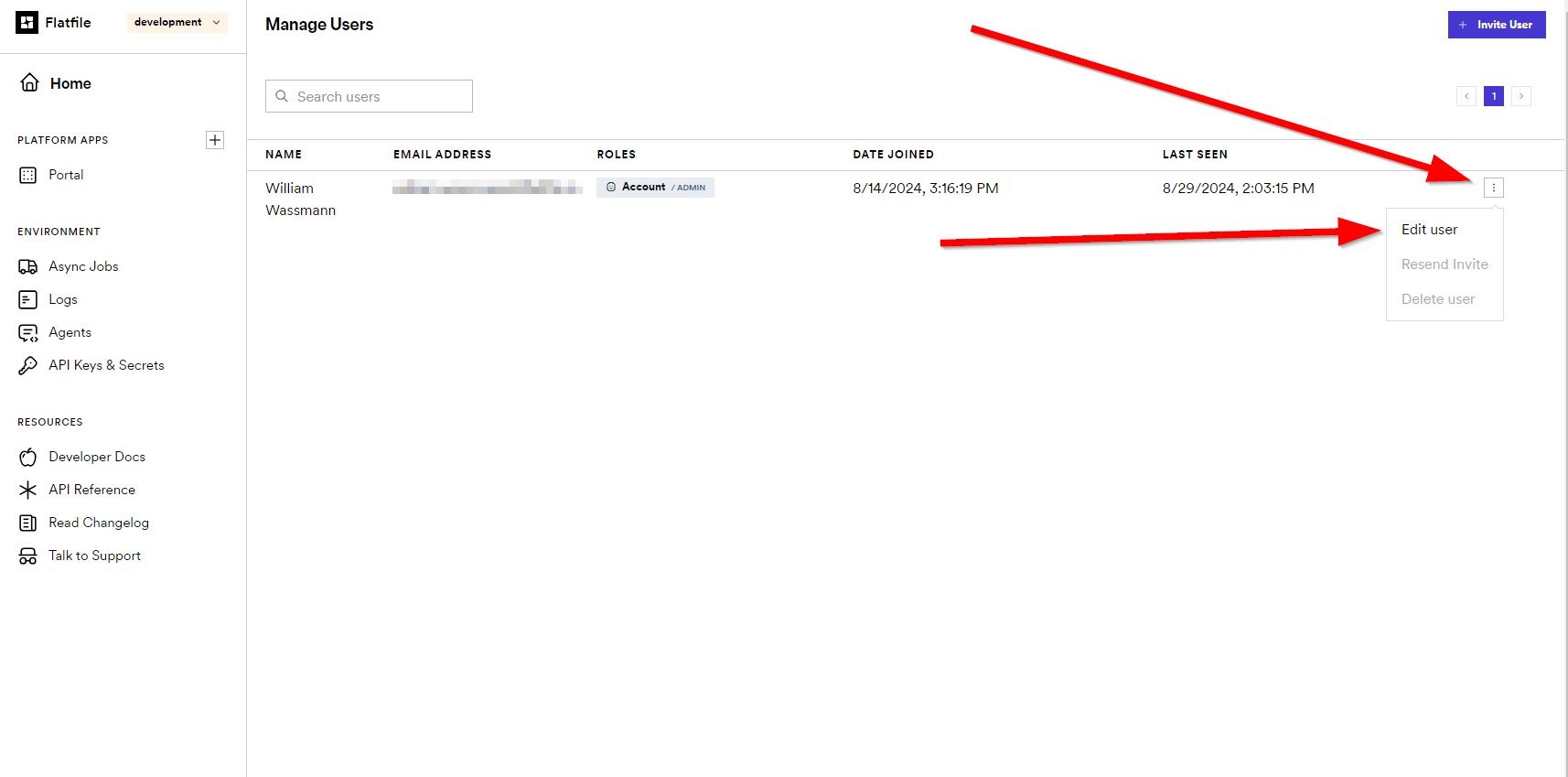
Select Manage Users. From here you can look through your user base and assign them roles as you see fit
-
Select the user you wish to edit and click the Three dots on the right hand side of their profile data.
-
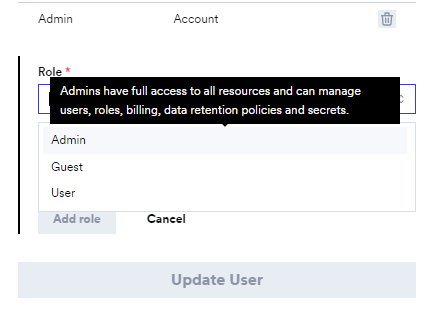
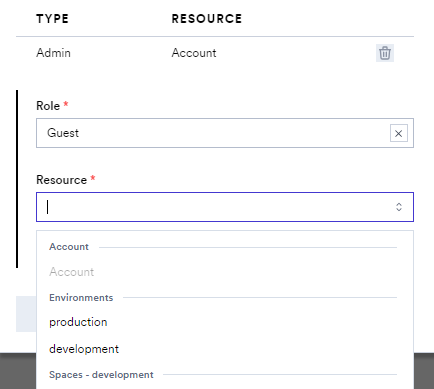
Admin - Allows for full access to the given resource.
-
User - Allows access to most features but cannot manage users or secrets.
-
Guest - Allows access to data and files but excludes management of spaces, environments, users, and secrets.
-