Record flags
Last updated: August 6, 2025
Record flags allow users to select records they want to label or view in a particular way and apply a flag. These records are still a part of the main dataset, but can be filtered to and actioned as a group.
Record flags can be created via the UI or the API. This article focuses on how to create and use a record flag from within the UI.
For information on creating or managing record flags via the API, visit this developer guide here.
Creating a flag
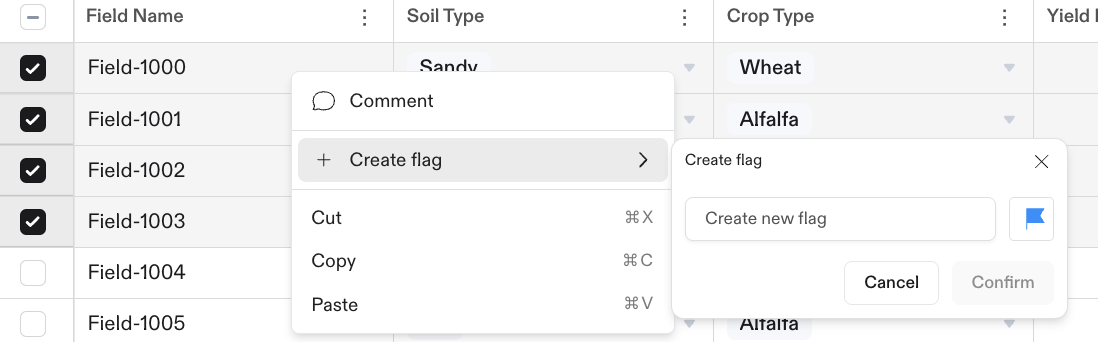
To create a record flag for the first time, you'll select the records you want to flag and right click to open the menu. Select "Create flag."
Type a name for the flag and click "Confirm."
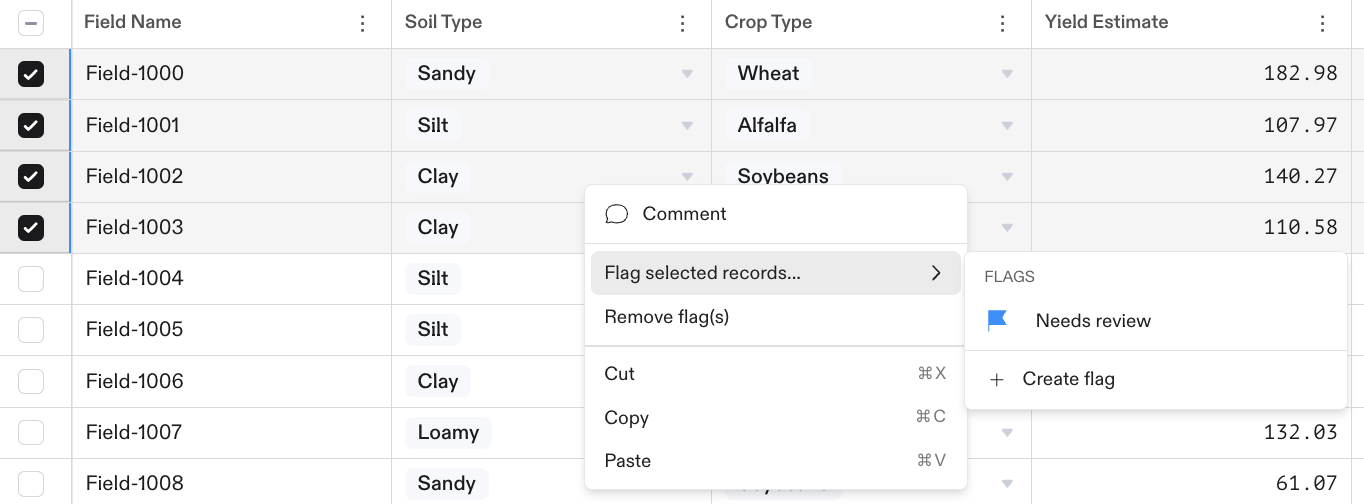
Once you've created at least one flag, you'll see a slightly different view from within the menu. Select "Flag selected records" and then "Create flag."
At the moment, a maximum of 3 flags can be created via the UI. If you need more than 3 flags, you can create them via the API.
Applying a flag
To apply a flag, select the records you want to flag and right click to open the menu. Click "Flag selected records" and then select the flag you want to apply.
At the moment, only one flag can be applied to a record at a time.
Removing a flag
To remove a flag, select the records you want to remove the flag from and click "Remove flag(s)" from the menu.
Filtering by flag
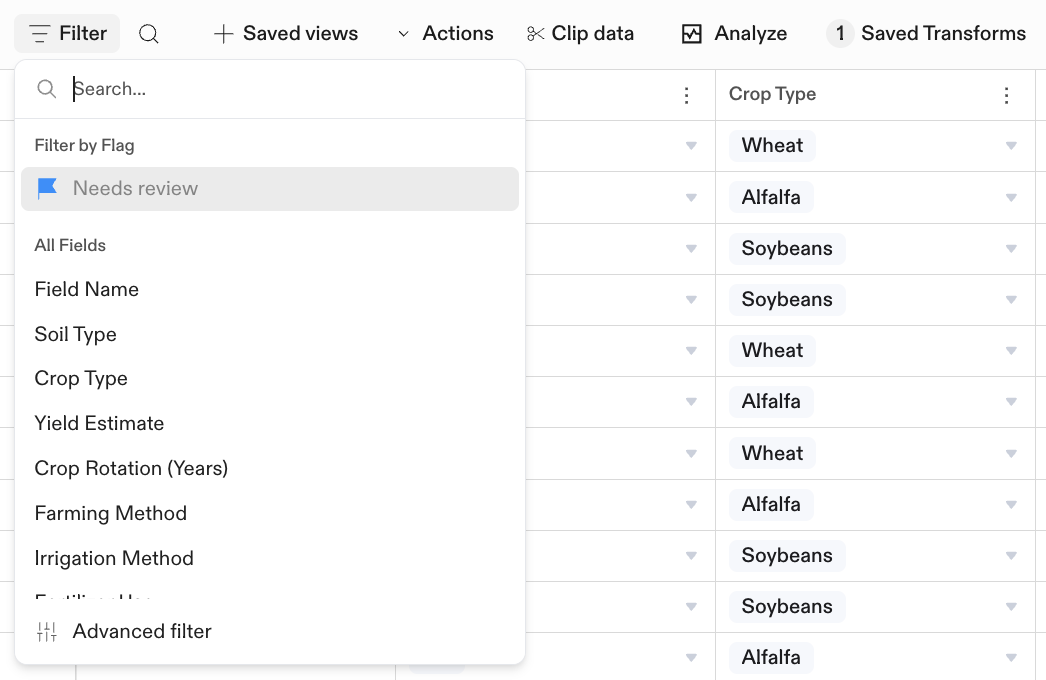
Once you've created a flag, you'll see the option to filter by it when you click "Filter."